Table of Contents
Users often struggle greatly when they get entangled with iTunes errors as they try to restore or update their iPhone.The iTunes error 3194 and the iTunes error 4005 which affects iPhone 6 devices both cause device malfunctions by rendering them unresponsive. The iTunes 4013 error which I encountered on my iPhone 6 required me to spend multiple hours of troubleshooting before my device became functional again. The common errors which occur in this process, but they can be fixed through proper methods which enable safe iPhone restoration. This guide will walk you through the causes, solutions, and preventive steps so you can fix iTunes errors efficiently, including advanced solutions using IPSW files.
What is iTunes Error 4013 / 3194 / 4005?
Errors 4013, 3194 and 4005 are often what you see by iTunes when updating, or restoring firmware. These errors happen when iTunes fails to communicate with Apple servers properly, or your device has hardware or software problems.The iTunes 4013 error iPhone 6 occurs because of defective USB connections and obsolete iTunes software and internal hardware malfunctions. The 3194 iTunes error occurs when iTunes cannot verify your firmware because of server or hosts file conflicts while 4005 iTunes error typically arises during an update or restore operation because of software conflicts and system glitches. Most of these errors that appear scary to users can be fixed without requiring a trip to the service center. Users with advanced skills can solve update issues by using an ios firmware download to install IPSW files.
Requirements / Before You Start
The process to fix iTunes errors needs both your device and your computer to be prepared beforehand. You need to verify that you have installed the latest version of iTunes or Finder and that your USB connection works properly with the original Apple cable.Your iPhone needs sufficient battery power and storage space while you also need to back up your data to prevent loss of important information. You need a computer that runs Windows or macOS if you want to use IPSW files for restoration purposes. The Download IPSW file from iosfixkit.com needs to be used to obtain the appropriate firmware file for your iPhone when you want to perform a manual update. The process of restoration becomes easier when all required, items are gathered because their availability reduces the chances of facing further errors during the process.
Step-by-Step Guide
You need to complete all steps until the last one to fix the errors present in your iTunes system. Your iPhone and computer require a complete restart to proceed. The process of starting from scratch will solve all temporary problems which lead to the iTunes error codes 4013 3194 and 4005. The next step requires you to examine your USB connection with precise attention to detail. The original Apple cable should be used to connect your device to another USB port on your computer. USB hubs should not be used because they disrupt the connection between your iPhone and iTunes.
The manual IPSW restoration process serves as the most effective option when the system error continues to occur. First Download IPSW, from iosfixkit. com and select the firmware for the specific device model. Next you need to connect your iPhone to your, computer and launch iTunes or Finder. Windows users will need to press Shift while Mac users must press Option and then "Restore" or "Update." The installation only starts once the downloaded IPSW is selected. It can install ipsw and fix all errors that you could not terminate by simply updating iTunes alone.
ipsw/img/blog/IPSW-Download-and-Restore.webp" alt="" width="413" height="342">
The use of IPSW files enables you to manage updates according to your preferences while this method usually solves problems which stem from server verification failures and damaged system components.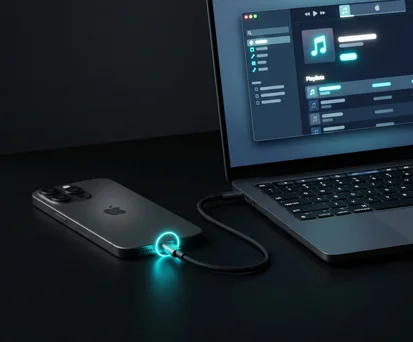
Common Errors & Fixes
Multiple factors lead to the emergence of errors which include iTunes 4013 and 3194 and 4005. The main reason for iTunes 4013 error occurs when users attempt to run iTunes on outdated versions or through USB connections which are not stable or their hardware components fail. The 3194 error occurs when iTunes cannot verify the firmware which can be solved through hosts file editing or IPSW restoration. The 4005 error occurs during the update or restore process and users can fix it by restarting their devices and updating iTunes or performing a clean IPSW installation. The situation occurs when hardware problems lead to ongoing errors which require users to obtain expert repair services.
The use of an ipsw iphone file provides a powerful solution to resolve ongoing errors. A correct ios firmware download ensures that your device can be restored without getting stuck mid-process. The solutions prove effective but they need users to focus closely on their procedures during the process of installing the firmware manually.
Tips & Warnings
Users should establish backup copies of their iPhone data before, they execute any repair methods, especially when dealing with IPSW file repairs. The manual restoration process using IPSW offers high success rates, but its improper execution leads to complete device deletion. The ability to manually install ipsw through my recommendation should become mandatory for people who experience iTunes errors because it provides better control than automatic update processes.
The system needs human users to fix their devices through IPSW restoration because both OTA updates and direct iTunes restores do not work due to temporary glitches or server problems. The single genuine restriction exists because Apple keeps ending support for older firmware versions which makes some IPSW files unavailable for iPhone downgrades. Reliable websites serve as the only safe sources for firmware file downloads because this practice prevents users from receiving either corrupted files or dangerous software.
FAQ
Q1: What causes 4013 error on iPhone 6 via itunes?
This usually relates to weak USB contacts, old or bad iTunes, and software bugs.
Q2: Can I eliminate 3194 iTunes error without computer?
No, to fix this error you have to use iTunes or Finder on your computer.
Q3: Will using IPSW delete my iPhone data?
If you use “Update” in iTunes, your data remains safe. “Restore” will erase all data.
Q4: Is it safe to download IPSW from third-party sites?
Only use trusted sources like iosfixkit.com to avoid corrupt or malicious files.
Q5: Can 4005 iTunes error indicate hardware issues?
Yes, if software fixes fail, it may indicate a hardware problem requiring professional repair.
Conclusion
You can fix all three iTunes errors, 4013 and 3194 and 4005 through specific solutions. The iPhone restoration process offers you multiple safe methods which include restarting devices and checking USB connections and performing a manual ios firmware download and install ipsw. The process of understanding these errors together with precise solution implementation leads to time savings and relief from unnecessary stress. The methods in this document provide a way to keep your iPhone operational while you address both minor glitches and persistent iTunes errors.