Table of Contents
The process of installing IPSW files on an iPhone becomes essential for users who need to perform manual updates or repairs on, their devices. The installation of IPSW files on iPhones becomes necessary for many users who experience device issues which include getting stuck and failing to update and showing unexpected behavior. Users can perform manual iOS installation through IPSW files which enable them to bypass automatic updates.
The first time I attempted to install an IPSW file I believed the process would require advanced technical skills but I found it simple after I executed the correct procedures. The guide provides a complete and easy-to-understand tutorial which demonstrates all necessary steps for Windows and Mac users.
What is IPSW:
Apple provides the official iOS firmware package through the Ipsw iphone file. The package contains all components required to perform an operating system installation or system restoration process on your iPhone. You can use this file to perform manual iOS installation through iTunes or Finder instead of updating your device through the settings option.
You can use this method when your device experiences freezing problems or when you require complete system restoration or when you need to perform a complete system installation. For a safe ios firmware download, always use a trusted source like “Download IPSW from iosfixkit.com” to avoid corrupted files. For better understanding of official firmware usage, refer to Apple Support.
Requirements / Before You Start:
The installation process of Ipsw should only begin after all necessary components have been prepared. The process requires a Windows computer with iTunes installed or a Mac computer which uses Finder. The process requires you to obtain the correct IPSW file which matches your specific iPhone model along with a USB cable that connects your device and a data backup because the procedure could remove all your information.
Apple restricts users to install only those firmware versions which the company has signed. This means you won t have the ability to install previous iOS versions even if you possess the installation file.
Step-by-Step Guide:
Step 1
Start by downloading the correct ipsw iphone file for your device. Make sure you choose the exact model because using the wrong firmware will cause errors. Save the file to a location which is easy to reach because you will need it for installation.
Step 2
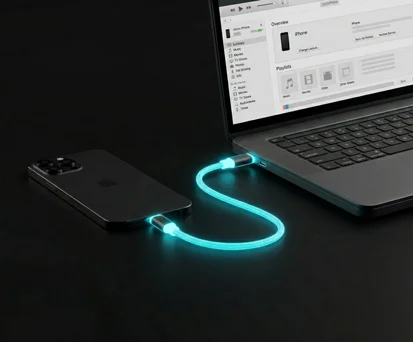
The next step requires you to establish a USB connection, between your iPhone and your computer. Users of Windows should launch iTunes while Mac users should start Finder. The device summary page displays update and restore options after your device becomes visible.
Step 3
Now comes the main part of ipsw how to install. Users of Windows should press the Shift key while they select "Restore iPhone." Users of Mac systems should press the Option key while they select the same button. The file browser will open which allows you, to choose the downloaded IPSW file. After selecting it, the system will begin the installation process automatically.
how to restore ipsw iphone:
The use of an IPSW file for restoration results in complete data deletion from your iPhone which then receives a new iOS installation. This method works when your phone experiences freezing problems or exhibits extremely slow performance or has major software difficulties. The installation process has identical steps which lead to a complete system restoration.
The process of restoring through IPSW presents an effective solution for major iPhone problems because it removes all corrupted data to establish a new system.
how to install ipsw file on iphone:
The process to install iOS in manual mode without solving problems stays unchanged. You download the firmware, connect your device, and select the IPSW file using the Shift or Option key method. This method provides you with better control than typical update procedures and guarantees a complete installation process.
Common Errors & Fixes:
The installation process for ipsw through the command install ipsw will create various problems for users. The device appears as incompatible which indicates that the user selected an incorrect firmware file. Users encounter another problem when Apple stops signing a firmware version because this prevents them from installing it.
iTunes will fail to recognize your iPhone becauseof detection issues whichyou can resolve through system restart or cable replacement. The installation process will be resolved through device restart and subsequent installation attempts.
Tips & Warnings:
The installation process for ipsw through the command install ipsw will create various problems for users. The device appears as incompatible which indicates that the user selected an incorrect firmware file. Users encounter another problem when Apple stops signing a firmware version because this prevents them from installing it.
iTunes will fail to recognize your iPhone becauseof detection issues whichyou can resolve through system restart or cable replacement. The installation process will be resolved through device restart and subsequent installation attempts.
FAQ:
Many users wonder if they can install IPSW, without iTunes, but currently, iTunes or Finder is required for this process. People frequently ask this question about IPSW installation because they want to know its safety. Another frequent concern is data loss, and yes, restoring with IPSW will erase your data unless you have a backup.
Conclusion:
Learning how to install IPSW files gives you complete control over your iPhone and enables you to solve most common problems, without needing automatic updates. Your device restoration and iOS installation process will become easier to execute after you learn the necessary steps.
The installation process requires you to start with the correct IPSW iPhone file which you will install through either iTunes or Finder. Data backup should be maintained while users must follow the process exactly and use trustworthy sources to download iOS firmware. The process of installing IPSW becomes simple after you learn the correct procedures to follow.